

Open the Policy page
- Android
- Desktop
On the wallet page, select More (the vertical dots in the app bar), then Policy.
Read the spending paths
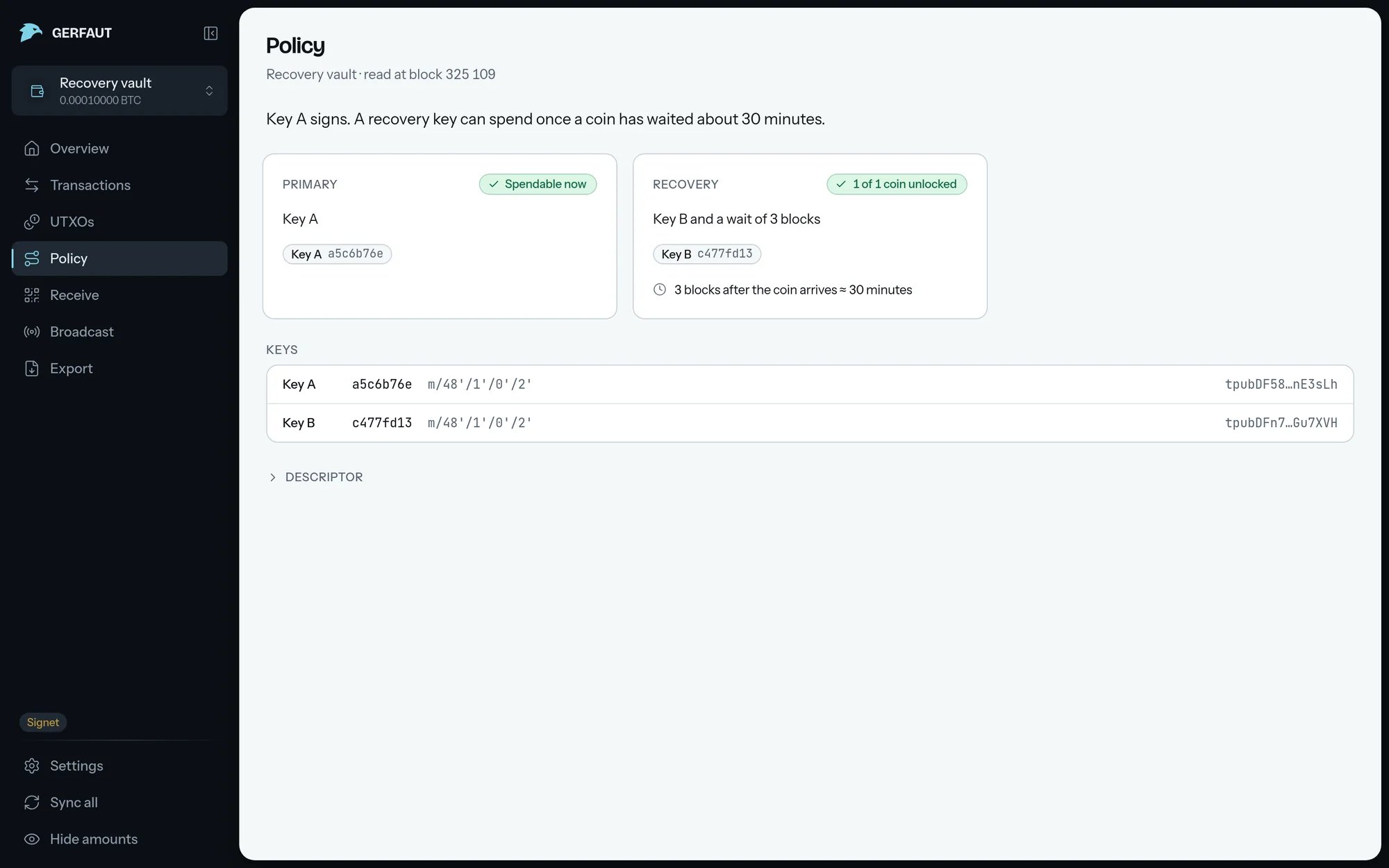
The page opens on a plain statement of the policy, such as2 of 3 keys sign. A multisig or Miniscript wallet then gets one card per spending path:
- Path:
Primary,Recovery,EmergencyorOther. The cards come in that order, the nearest lock first within each. A second primary path readsPrimary B, and a third timed pathRecovery 3. - Condition: The signing keys and locks the path needs, such as
Any 2 of Key A, Key B, Key C. Each signing key is a pill with its fingerprint. - Locks: Each timelock on a line of its own, such as
52 560 blocks after the coin arrives ≈ 1 year. A lock at a block height or a date also says how long it still runs. - State:
Spendable now, a countdown such asIn 1 432 blocks ≈ 10 days,No coins yet,Needs a secret, orLockeduntil the first sync. It shows in green when the path is open now, and in amber when the path or its next coin opens in less than 30 days. - Coins: A relative lock counts per coin, even a single one, such as
0 of 1 coin unlocked · next in 12 days.Next coinand a progress bar show how long the first coin to unlock still waits. Until the first sync, the count ends innext known after the first sync.
- Android
- Desktop
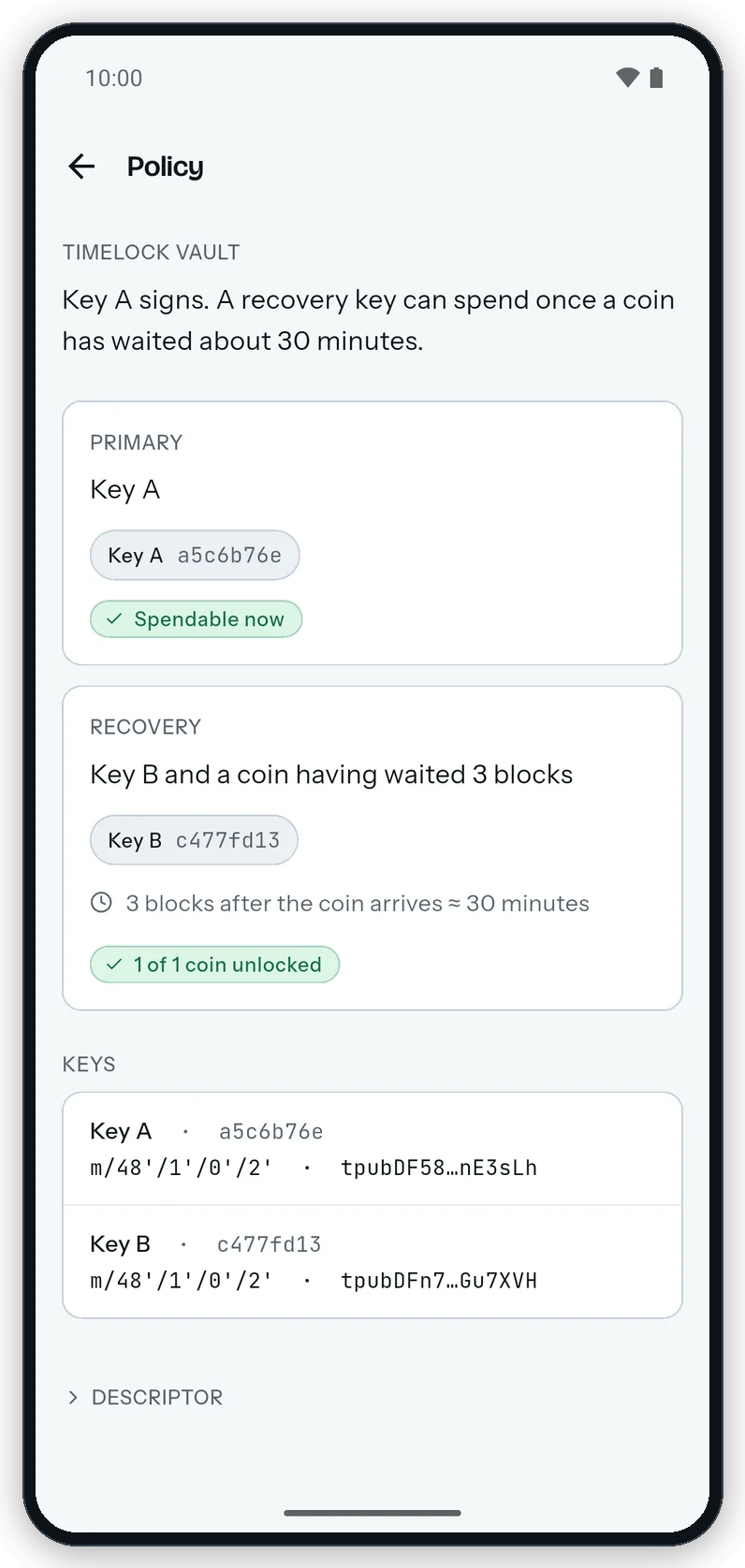
Each spending path gets a card with its signing keys, its locks and where its coins stand.
Estimated durations assume one block every 10 minutes and carry
≈ or about. A lock set in time follows the device clock. The chain can lag that clock by up to two hours.Check the signing keys and the descriptor
TheKeys section lists each signing key with its label, fingerprint, origin path and extended public key.
Open Descriptor to copy the descriptor, written as one /<0;1>/* descriptor when the wallet has a receive and a change branch. Its policy is written out below, such as or(pk(Key A),and(pk(Key B),older(52560))).
Gerfaut clears the descriptor from the clipboard after one minute. On desktop, a toast that starts with Copied, but Gerfaut could not clear it means it stays there, so clear your clipboard yourself once you have pasted it.
- Android
- Desktop
The page shows one card per spending path, then the signing keys and the descriptor to copy.