

Open a transaction
Select a row on theTransactions page or tab, or under Latest activity on the desktop Overview.
- Android
- Desktop
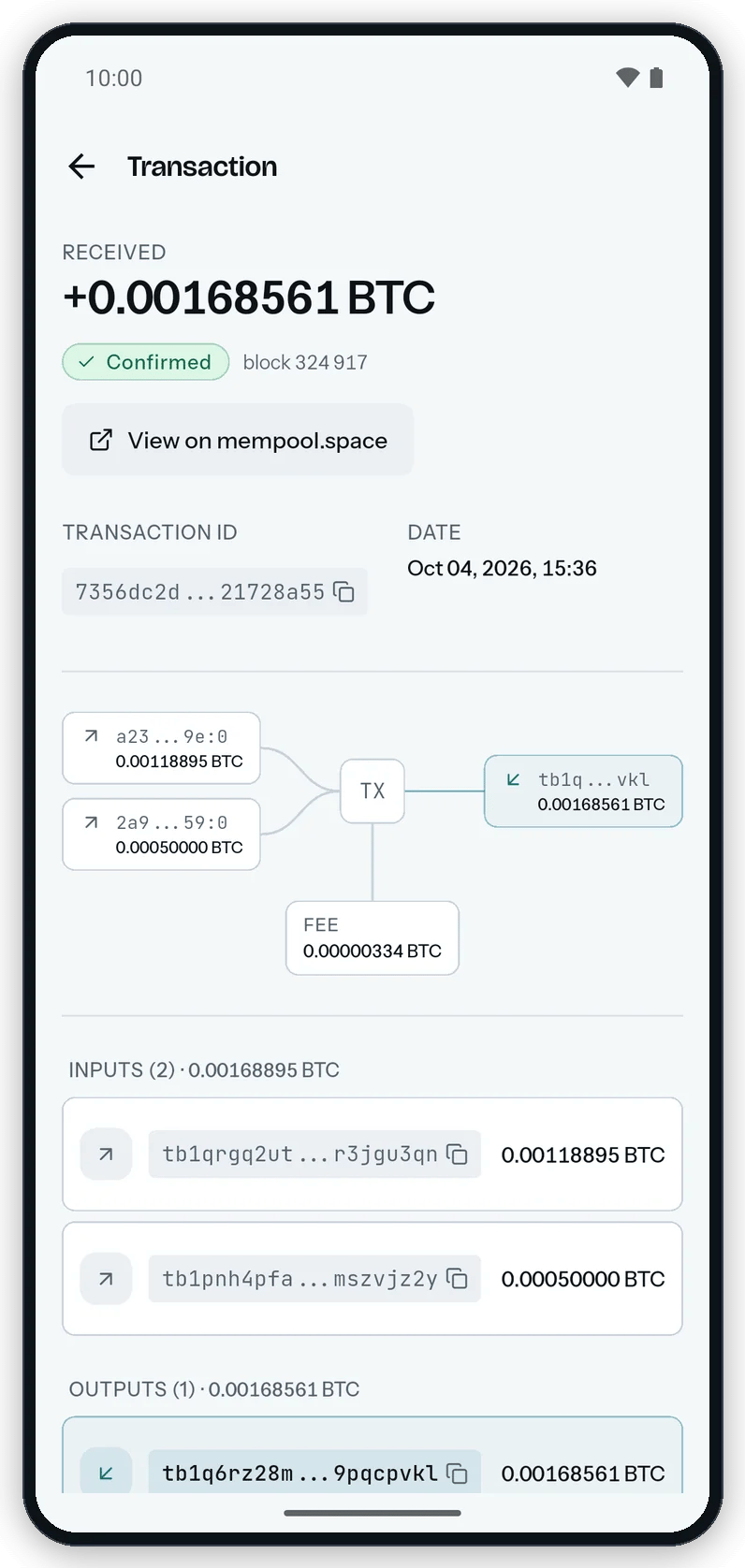
A transaction opens as a flow: inputs on the left, outputs on the right, fee below.
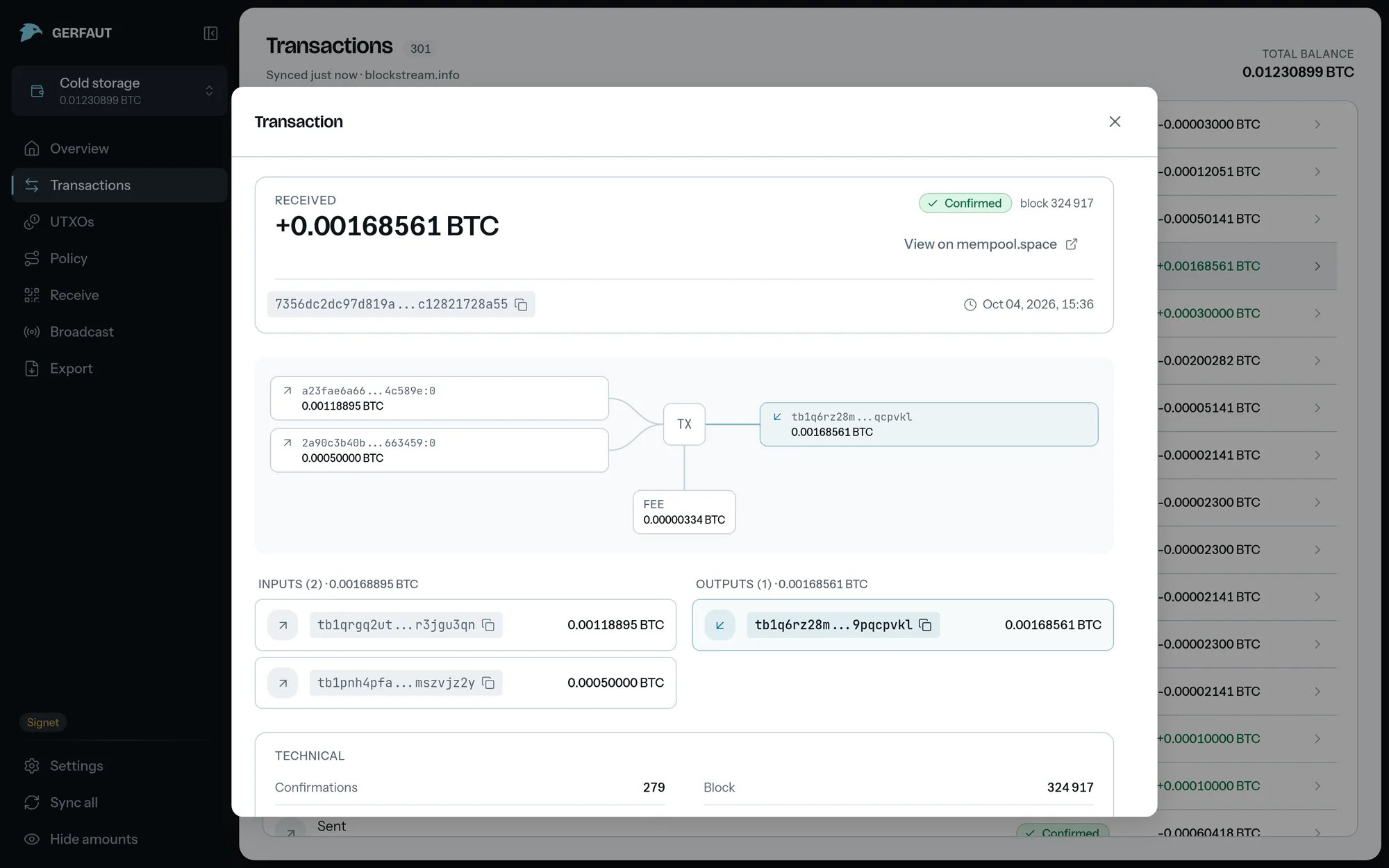
Read the summary
- Direction:
Received,Sent,Sent to yourselfwhen every input and output belongs to the wallet, orBlock reward. - Amount: The net amount for the wallet.
- Status:
Pending, the number of confirmations, orConfirmedwith the block height. - Transaction id: Select the chip to copy it.
- Date: The time of the block, or
not yet mined.
Follow the coins on the diagram
The diagram draws the inputs on the left, the outputs on the right and the fee below. An icon marks the role of each box:- Wallet: An input spent from this wallet.
- Return arrow: Change that comes back to this wallet.
- Incoming arrow: An output this wallet receives.
- Outgoing arrow: An input from elsewhere, or an output that leaves.
- Pickaxe: Newly mined coins.
- Scroll: An
OP_RETURNoutput that carries data.
Inputs and Outputs lists follow the diagram, with an address chip to copy on each line. With more than ten boxes on one side, five on Android, the last box stands for the rest, such as +3 more inputs. The lists still show them all.
Check the technical facts
TheTechnical card lists the confirmations, block, size, virtual size, weight, version, locktime, sigops, fee and fee rate. Its flags carry a tooltip each:
RBF: The sender can still bump the fee.Finalmeans no input signals it.SegWitandTaproot: What the inputs spend.Locktime: The earliest block or time the transaction could be mined in.Coinbase: Newly mined coins, with the mining pool when known.OP_RETURN: An output carries data.
Raw transaction at the bottom to show and copy the transaction bytes.
- Android
- Desktop
The Technical card sits under the diagram, further down the same screen.
Look it up on mempool.space
1
Select View on mempool.space
The button sits in the summary. Regtest has no public explorer, so it has no button.
2
Select Open explorer
Tick
Do not show this warning again to skip this question next time. The transaction opens in your browser.