

- Android
- Desktop
Select More, then Settings, then Network.
Pick the network
In theNetwork card, select Mainnet, Signet, Testnet 4 or Regtest. Gerfaut shows the wallets of that network only, and names it in a badge unless it is mainnet. Regtest has no public server, so point it at your own node.
- Android
- Desktop
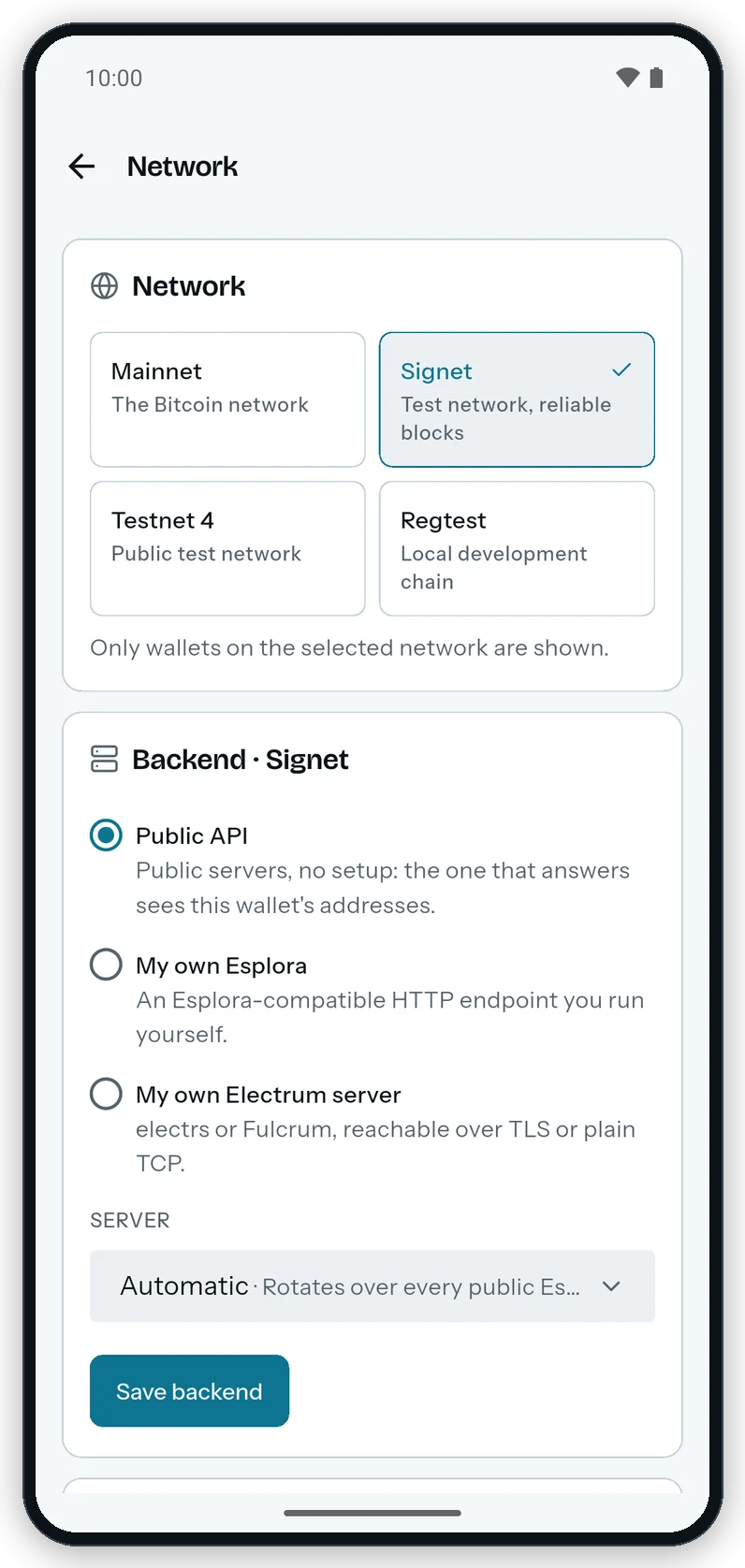
Each network keeps its own backend: a public server, or an Esplora or Electrum instance on your own node.
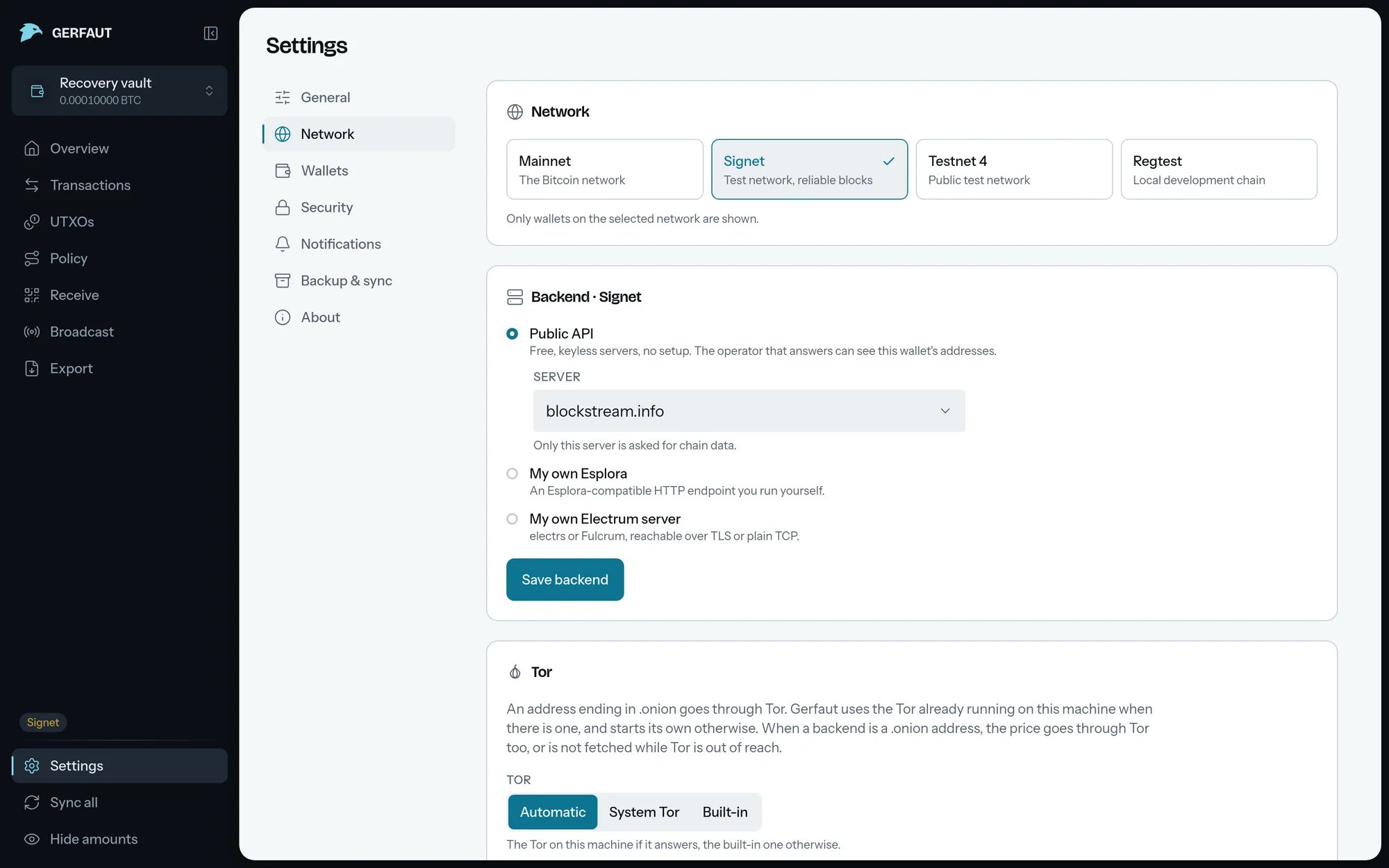
Use the public servers
The backend card, such asBackend · Signet, opens on Public API, with nothing to set up. Under Server, keep Automatic, or select one server, such as mempool.space, to make it the only one Gerfaut asks on that network.
With Automatic, Gerfaut asks these servers:
Gerfaut moves to the next server only when one fails. The next sync starts with the server that answered.
A server that was down or overloaded while another one answered moves to the end of the list for five minutes. Each new failure doubles that time, up to an hour.
When the Electrum servers of the
Live column fail, Live moves to the sync servers, in the same order. When the Live server reports no new block for two hours, Gerfaut compares it with another Electrum server of the same operator. Live moves to that server if its own lags two blocks or more.
Once Live has connected, each sync goes to the Live server first, so your syncs show your addresses to a single operator. The Broadcast page sends your transactions to that operator first too.
With Live on, the first sync after Gerfaut opens waits up to 20 seconds for Live to connect, so that it reaches the Live server too. Past that wait, it follows the order above.
- Android
- Desktop
Picking one server makes it the only one Gerfaut asks on that network.
Know what the public servers allow
Know what the public servers allow
Public servers are free and need no account, but they promise nothing. Each operator sets its own limits and can change them at any time.
- blockstream.info: Its web API takes 700 requests an hour from one IP address. Blockstream publishes no limit for its Electrum servers.
- mempool.space: It publishes no limit. It refuses requests past its limit, and may ban an IP address that keeps going past it.
- mempool.space on signet: Its Electrum server follows 100 addresses per connection. Live leaves the others to the next sync.
- Shared IP address: Behind a VPN or a mobile carrier, other people can use up the same limit.
Know what a server cannot fake
Know what a server cannot fake
Gerfaut checks each confirmation a server reports against its block, so a server cannot make up a confirmation for free. The transaction must be in that block. On mainnet, the block header must also carry the work the network asked for at that height.
- Electrum: A confirmation in an older block, covered by the checkpoints built into Gerfaut, must also link block by block to the next checkpoint. No amount of work can forge it.
- Esplora: A confirmation rests on the work of its block alone. A confirmation in a block from the early years of bitcoin, when blocks took little work, costs a server little to forge.
- Signet and testnet4: Their blocks take too little work to prove anything, so Gerfaut checks only the easiest target of the network.
false proof of a confirmation, which means that server lies or is broken. Try again later, or connect your own node.Sync a wallet with tens of thousands of transactions
Sync a wallet with tens of thousands of transactions
The first sync of a very large wallet, or of one with many large inscriptions, can fail on an Esplora backend. Gerfaut then reports
Sync failed with a reason such as:the server sent more than 256 MiB of transactions for one syncthe server sent an answer longer than 64 MiBthe server lists more than 10000 transactions for one address
Fix a sync that reaches another network
Fix a sync that reaches another network
A sync that fails with
the server is on another network reached a server of another chain, such as the signet port of your node entered for testnet4. Check which port your node serves for this network, then enter it again.Connect your own Esplora
1
Select My own Esplora
The
Server URL field appears, for an address such as https://node.example.org:3002/api.2
Enter the URL, or scan it
Select Scan beside the field to read the QR code your node shows for its Esplora app.
3
Select Save backend
Gerfaut uses it from the next sync.
Connect your own Electrum server
1
Select My own Electrum server
Use it for electrs or Fulcrum.
2
Enter the host and the port
Enter the
Host, such as node.example.org or a .onion address reached through Tor, and the Port, 50002 by default. Scan reads the QR code your node shows for its Electrum app and fills both.3
Select Save backend
If the server answers and signs its own certificate, Gerfaut shows the certificate before it saves anything. See Certificates.
Follow more addresses on your own node
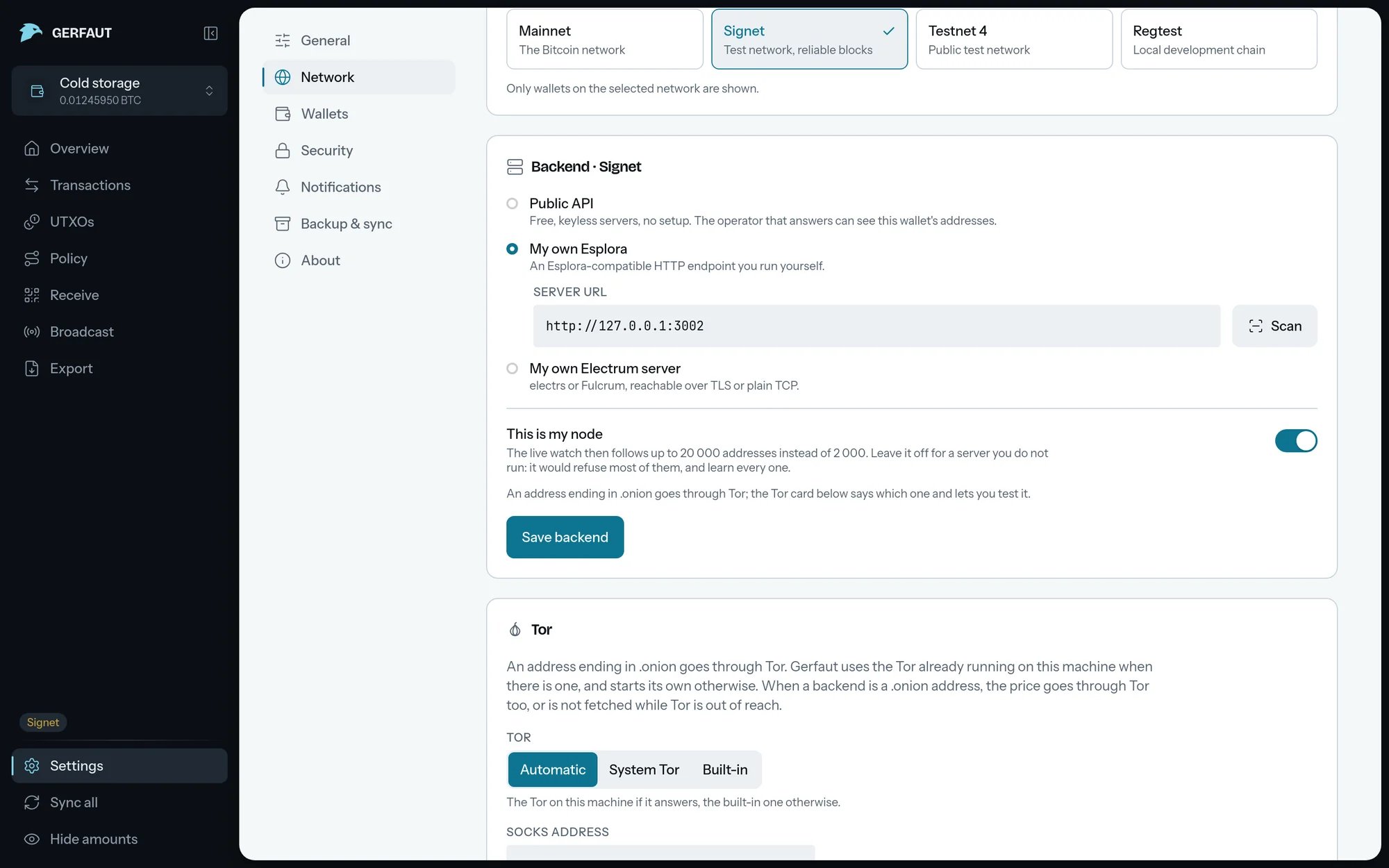
Live, the connection behind notifications, follows up to 200 addresses per wallet and 2,000 in all. Public servers limit how many addresses one app may follow. On a server you run, no one else sees your addresses. Its limits are yours to raise, soThis is my node lets Live follow up to 20,000, all of them for one wallet if needed.
Leave the switch off for a server you do not run. A public server would refuse most of the addresses past its own limit, and learn every one that Live asks it to follow.
1
Connect your own server
2
Select the This is my node switch
It sits under the address of your server.
3
Select Save backend
Live reconnects with the longer list.
- Android
- Desktop
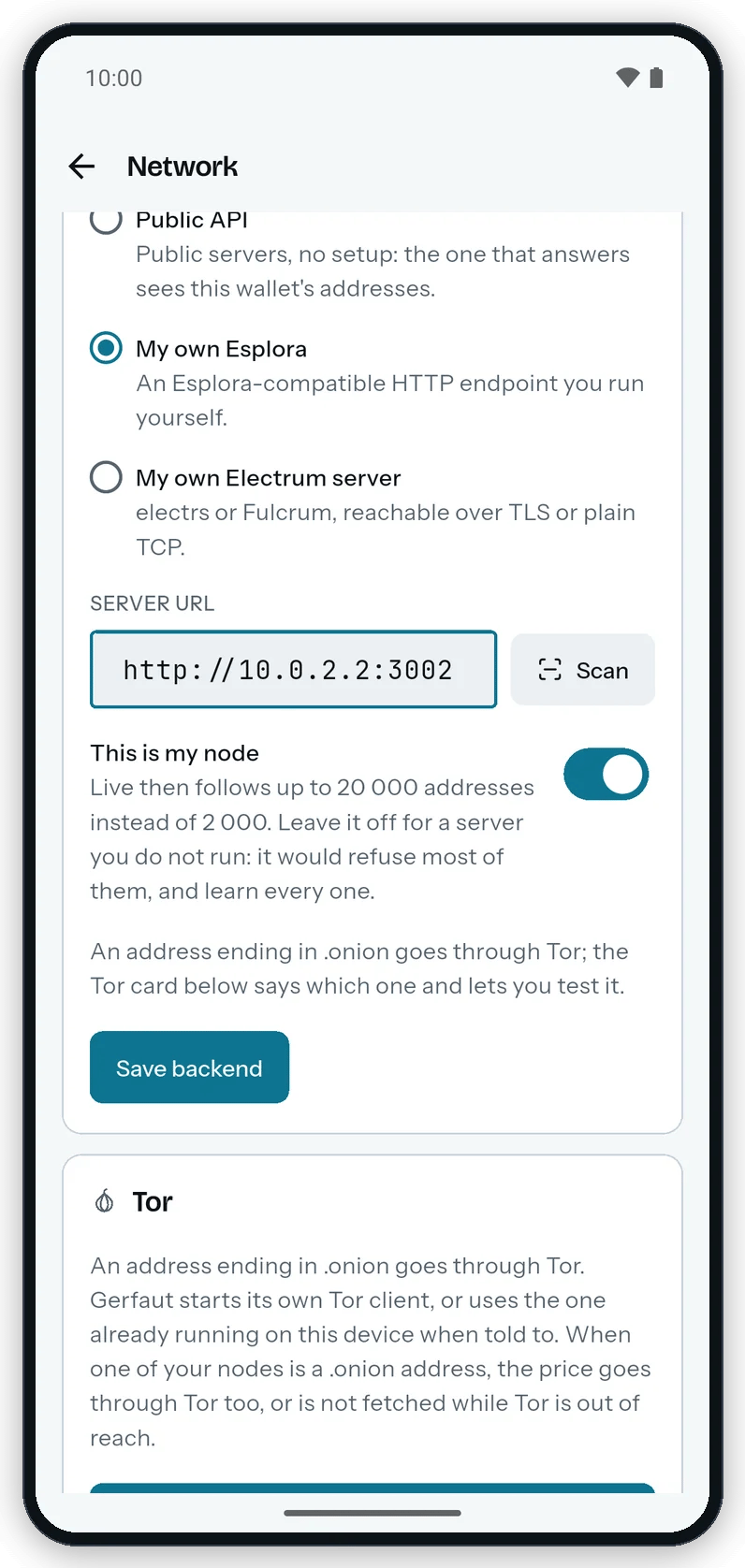
With This is my node on, Live follows up to 20,000 addresses on your server.
Raise the subscription limit of your Electrum server
Raise the subscription limit of your Electrum server
Some server software lets one client follow fewer addresses than Live asks for on your own node. These settings let it follow all 20,000:
- ElectrumX: Set
COST_SOFT_LIMIT=0andCOST_HARD_LIMIT=0, or at least10000and50000. Left at their defaults, ElectrumX slows Live down until 20,000 addresses take more than 15 minutes. - Blockstream’s electrs: Set
--electrum-subscription-limit 0, or at least25000. The default is 10,000. - mempool’s electrs: Set
--electrum-max-subscriptions 25000. Raise--electrum-txs-limittoo if one of your addresses has more transactions than it allows. - Fulcrum: Nothing to change with the default
max_subs_per_ipof 75,000. Raise it if your configuration sets it below 20,000. - electrs by romanz: Nothing to change.
New transactions switch on desktop, so that Gerfaut asks your node for every address at once. After a cut from ElectrumX, it asks for fewer addresses until Live starts over.